

Running the App
This page covers starting the monitor application in development mode, running just the frontend, and building a distributable binary.
Development Mode
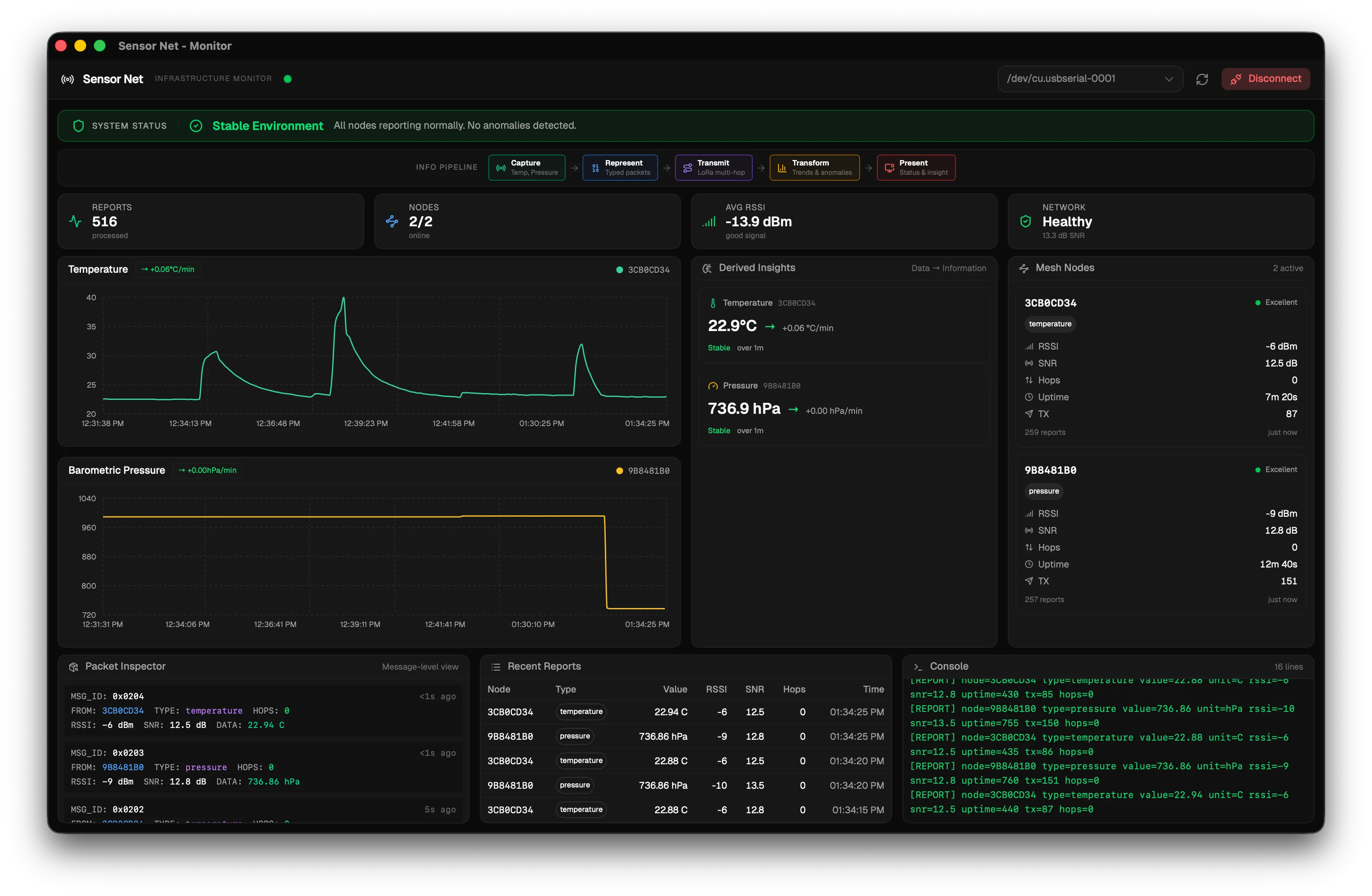
Section titled “Development Mode”Development mode starts both the Vite dev server (for the React frontend with hot reload) and the Tauri native wrapper simultaneously:
bun run tauri devWhen you edit a frontend file (anything in src/), the UI updates instantly without restarting. When you edit a Rust file (anything in src-tauri/src/), the Rust backend recompiles and the app restarts automatically.
Frontend Only Mode
Section titled “Frontend Only Mode”If you only want to work on the UI layout and styling without needing the native Tauri shell, you can run just the Vite dev server:
bun run devThen open http://localhost:1420 in your browser.
Connecting to the Receiver
Section titled “Connecting to the Receiver”Once the app is running:
- Plug the receiver node into your computer via USB.
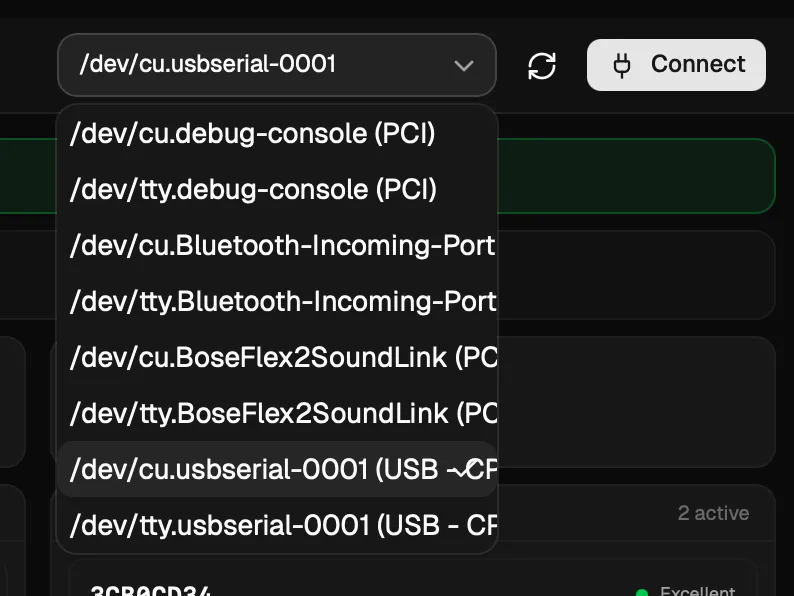
- In the top toolbar of the monitor application, click the refresh button (circular arrow icon) to scan for available serial ports.
- Select the receiver’s port from the dropdown. On macOS it appears as
/dev/tty.usbmodemXXXX. On Windows it appears asCOM3or similar. - Click Connect. The baud rate is fixed at 115200 to match the firmware.
- The status indicator in the header turns green and begins pulsing when data is being received.
- To stop reading data, click Disconnect.
Building for Distribution
Section titled “Building for Distribution”To compile a production binary for your operating system:
bun run tauri buildThis performs three steps:
- Compiles the TypeScript frontend into optimized static files.
- Compiles the Rust backend in release mode (optimized, no debug symbols).
- Bundles everything into a native application installer.
The output is placed in src-tauri/target/release/bundle/. The format depends on your OS:
| OS | Output Format |
|---|---|
| macOS | .dmg installer |
| Windows | .msi or .exe installer |
| Linux | .deb or .AppImage |
Troubleshooting
Section titled “Troubleshooting”| Problem | Solution |
|---|---|
bun run tauri dev fails to start | Make sure Rust is installed (rustc --version). Check that Tauri system dependencies are installed for your OS. |
| Serial port not appearing in the dropdown | Ensure the receiver node is connected via USB. Click the refresh button to rescan. On Linux, you may need to add your user to the dialout group: sudo usermod -aG dialout $USER |
| App starts but no data appears | Make sure sensor nodes are powered on and within range of the receiver. Check that the receiver is printing [REPORT] lines in its serial output. |
| Frontend hot reload not working | Stop and restart bun run tauri dev. Make sure no other process is using port 1420. |
Next Step
Section titled “Next Step”Learn how to read and use the dashboard in the Dashboard Guide.